
Affordable Flower Delivery
19 products found
















Affordable Flower Delivery | Fresh Flowers at Accessible Prices
Affordable flower delivery lets you send someone you care about a meaningful surprise without straining your budget. Today, online florist systems make it easy to find flowers that are both affordable and high quality.
ButikFlorist makes the flower ordering experience accessible to everyone through affordable products and fast delivery.
Why Choose Affordable Flower Delivery?
Affordable flower delivery is an ideal solution for customers who want to give gifts that are both economical and meaningful. Sending flowers can now be arranged without high costs.
Even a small floral gesture for someone you care about is now much easier to arrange.
Most Popular Affordable Flowers
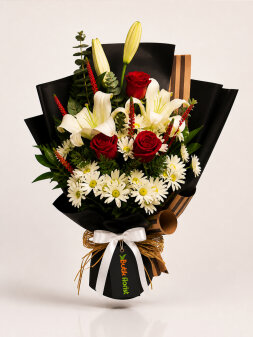
- Rose Bouquets – A classic, affordable choice
- Daisy Bouquets – Simple and economical
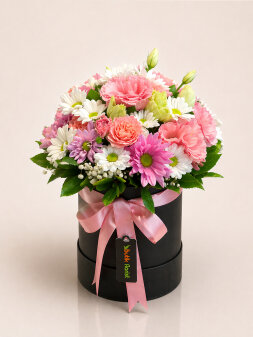
- Mixed Flower Arrangements – Colorful and budget-friendly
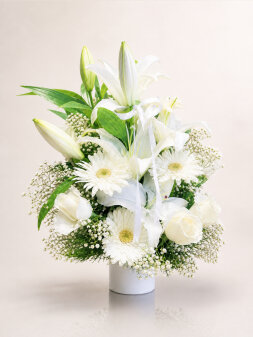
- Lilies – Stylish designs at accessible prices
How Does Affordable Flower Delivery Work?
Ordering through the online system is easy:
- Choose the flowers you want
- Enter the address details
- Complete the payment
The order is prepared within minutes and sent using a same-day flower delivery service.
Affordable Flower Delivery Does Not Mean Low Quality
Affordable flower delivery does not mean low quality. The important points are the right design and the use of fresh flowers. ButikFlorist prioritizes quality even in its affordable products.
Affordable Flower Delivery for Special Occasions
Affordable flower delivery lets you arrange economical but meaningful surprises for birthdays, Valentine's Day, Mother's Day and other special occasions.
Conclusion
Affordable flower delivery is an economical gift choice with strong emotional value. ButikFlorist lets you deliver affordable flowers to someone you care about quickly and securely.