
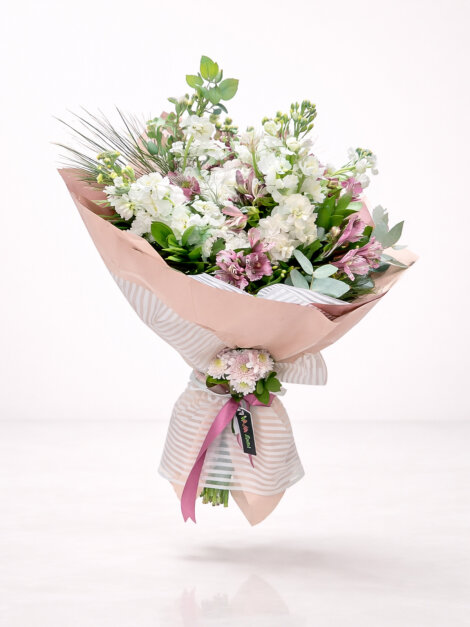
Product Content
🤍 7 white stock flowers
🌸 6 alstroemeria stems
🌿 Decorative greens
📌 Supplementary materials may change seasonally.
Product Brief
🤍 Elegant bouquet prepared with the harmony of white stock flower and alstroemeria
✨ Stylish gift alternative for special occasions with its fresh and natural appearance
🎀 Modern floral design carefully crafted by Butik Florist
🌸 7 white stock flowers and 6 alstroemeria stems. It is prepared together with decorative greenery and creates a voluminous, natural and modern bouquet form. Thanks to the harmonious appearance of the flowers, it gives a peaceful and elegant atmosphere to the setting.
✨ The simple elegance of white tones creates an aesthetic choice for birthdays, thank-you gifts, get-well wishes and flower gifts and special-occasion gifting. Thanks to its minimal but eye-catching appearance, it is specially prepared for those who love modern floral designs.
🎀 The bouquet is completed with stylish packaging details. It is carefully designed by preserving the natural flower form with Butik Florist's modern boutique floristry approach.
🌿 Thanks to the natural texture and spacious appearance of live flowers, it gives a warm, calm and decorative atmosphere to the setting.
🚚 It is prepared using fresh flowers and is available for same-day delivery within Istanbul.
📌 Note: The complementary materials and greens used in the product may vary depending on seasonal conditions or stock availability.